
Works with AirPrint printers
Print from iPhone. It just works now.
No account. No drivers. No ads. Scan, sign and print documents, photos and web pages over Wi-Fi — from HP, Epson, Canon and Brother to any printer with AirPrint.

Scan with your iPhone
Point the Camera at the code to open Printer on the App Store.

Why Printer
-
No account.
Open the app and print. No sign-up, no email, no printer-brand login.
-
No drivers.
AirPrint is built into iOS and most Wi-Fi printers. Printer finds yours on the network.
-
No ads.
No banners, no tracking, no data sold. The App Store label says “Data Not Collected.”
-
Stays on your iPhone.
Scans and documents never leave your phone. Print jobs go straight to your printer.
Setup · About a minute
Three steps. Then just print.
-
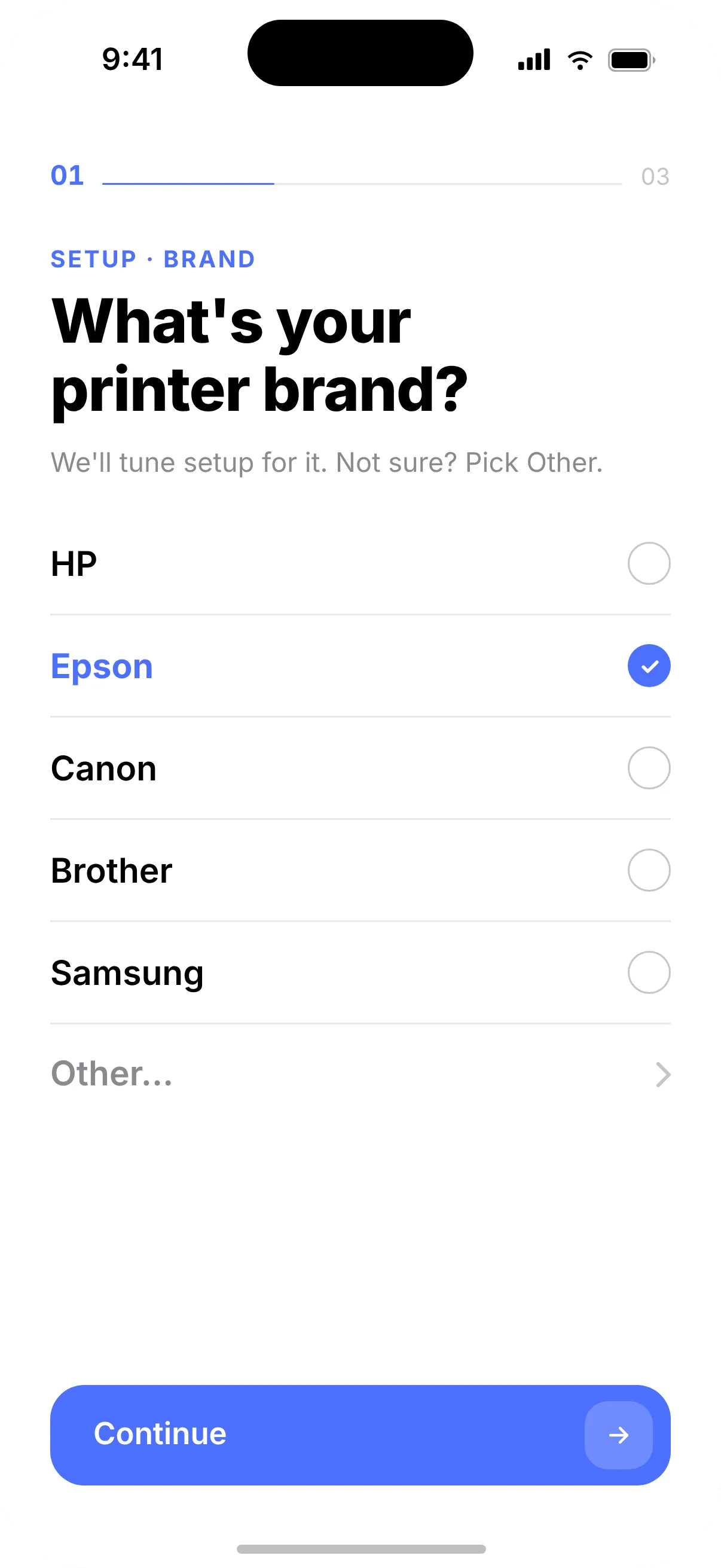
Pick your printer.
Tell Printer the brand and model. Setup is tuned for HP, Epson, Canon, Brother and more.
-
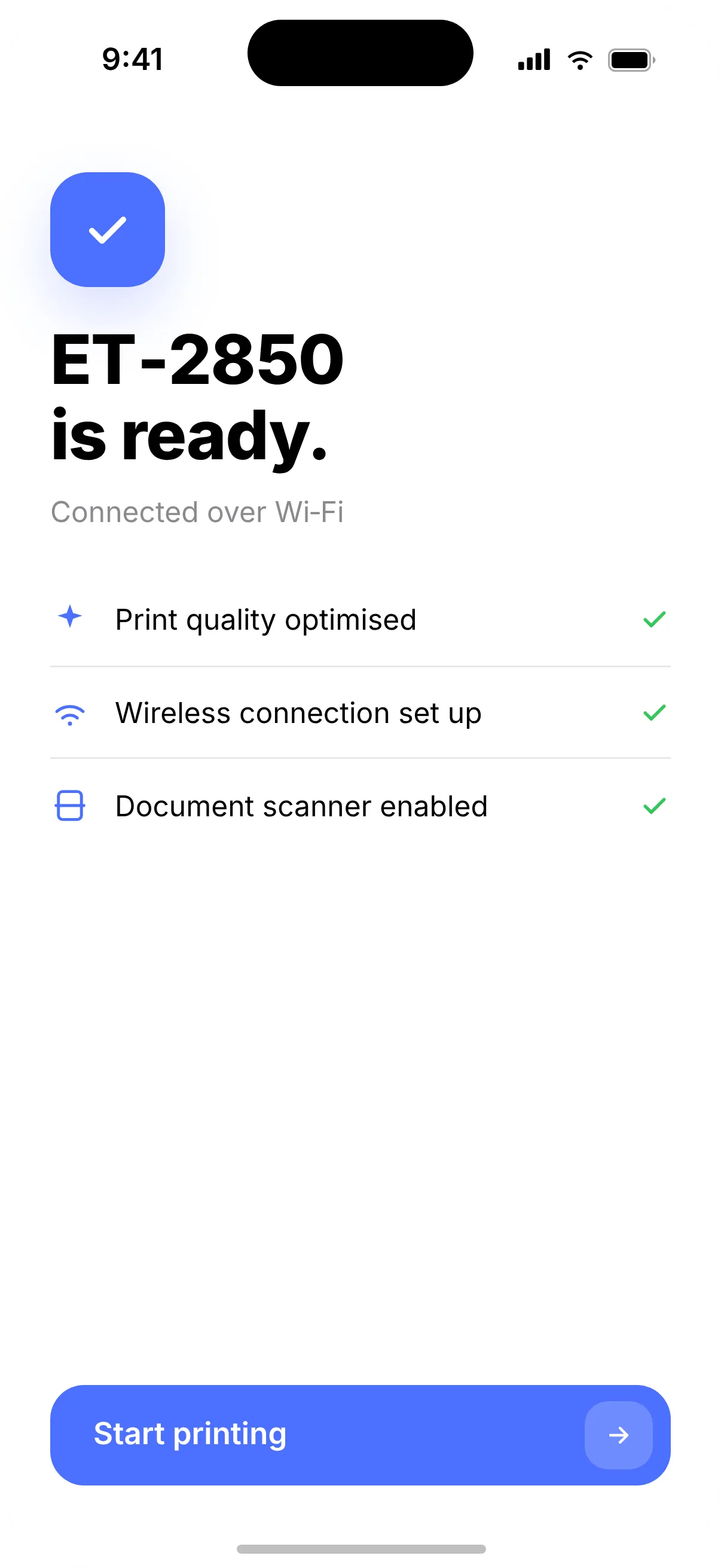
Join the same Wi-Fi.
Your iPhone and printer just need to be on one network. Printer finds the printer with AirPrint.
-
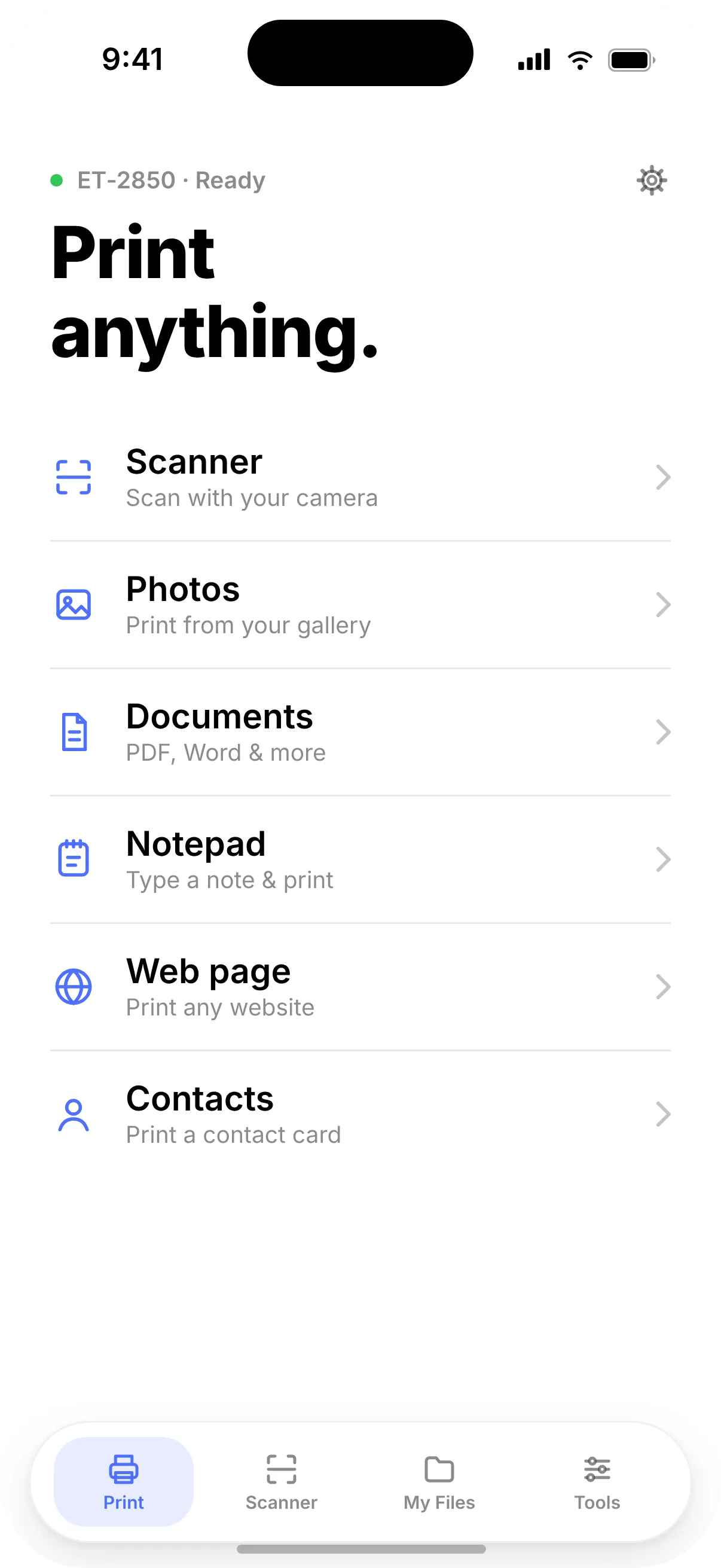
Print anything.
Documents, photos, scans, web pages, notes and contact cards — one tap from the home screen.


What you can print
Print anything.
Everything on your phone, ready for paper — and a few tools you’ll be glad you have.


Privacy
What you print stays yours.
Printer has no backend for your files. Your documents are stored inside the app on your iPhone and printed over your own Wi-Fi with AirPrint.
Read the privacy policy- No account, no ads, no cross-app tracking
- Documents never uploaded — not for printing, not for anything
- Text recognition on-device, using the engine built into iOS
- Permissions only when needed — local network access is used just to find your printer
- App Store privacy label: Data Not Collected
Works with your printer
HP, Epson, Canon, Brother — and every other AirPrint printer.
An honest note
Printer prints through AirPrint over Wi-Fi. Most recent Wi-Fi printers support it, but not all — some budget and USB-only models don’t. Check yours first; it takes 30 seconds.
Check my printerHelp & free tools
Stuck? Start here.
Fix a problem
Guides
Good questions.
Is Printer free?
Printer is free to download, and you can try it with your own printer before paying anything. Printer Pro — a weekly or annual subscription with a 3-day free trial — unlocks unlimited prints and scans, the Pro tools such as QR codes, and printing without watermarks. Prices are shown in the app before you confirm.
Do I need an account?
No. There is no sign-up and no login, and you never need an HP, Epson, Canon or Brother account to print with Printer.
Will it work with my printer?
Printer works with printers that support Apple AirPrint on your network (Wi-Fi or a network cable), which includes most Wi-Fi models from HP, Epson, Canon and Brother made in the last decade. Not every model does — use our AirPrint checker to make sure before you download.
Does it work without Wi-Fi?
Printer needs your iPhone and printer on the same network. If you have no router, many printers can create their own network with Wi-Fi Direct. See how to print without Wi-Fi.
Can Printer see my documents?
No. Scans, documents, notes and lists are stored only inside the app on your iPhone, and print jobs travel over your own Wi-Fi to the printer. Text recognition runs on the device. Details are in the privacy policy.
What does it do that iPhone’s built-in printing doesn’t?
iOS can already print from apps that have a Print button. Printer adds a document scanner, signing and page selection before printing, printing of notes, web pages and contact cards, text recognition, printable lists and QR codes — all in one place, with help connecting your printer.

Print anything.
If your printer has AirPrint, you’re one tap away.
Scan with your iPhone
Point the Camera at the code to open Printer on the App Store.